
|5.195Mins Read
How to Download YouTube Shorts as MP4: Step-by-Step Guide (2026)
- Authors

- Name
- Geeks Kai
- @KaiGeeks
Loading share buttons...
Loading content...
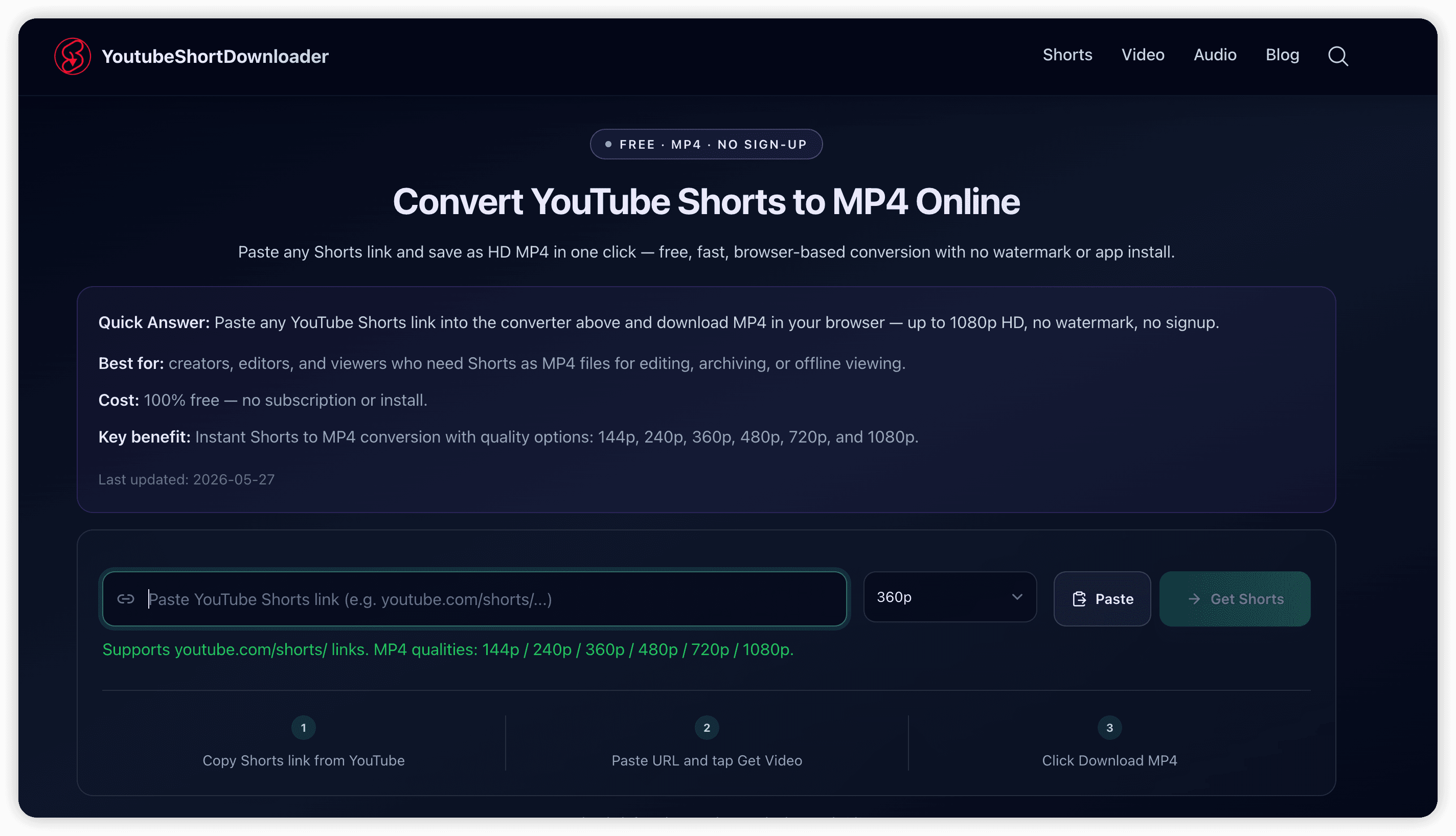
Quick Answer: Copy your YouTube Shorts link, paste it into YoutubeShortDownloader, click Get Video, choose an MP4 quality, then Download MP4 to save the file on your device.
Best for: Creators, video editors, marketers, and viewers who need Shorts offline for reference, rough cuts, or archiving
Cost: Free — no sign-up or install when you use the online YouTube Shorts downloader
Key benefit: Paste-and-download flow in the browser on phone, tablet, and desktop with multiple MP4 quality options
To download YouTube Shorts as MP4, you need a public Shorts URL and a browser-based downloader that fetches the video file—not a screen recorder. YoutubeShortDownloader resolves the link, shows available qualities, and saves a standard MP4 you can open in any editor or player.
People search for youtube shorts downloader when they want to save a Short offline, clip a reference for an edit, or archive their own content without relying on YouTube’s in-app save options. That intent shows up daily among short-form creators, social media managers, and students who need a file on disk—not just a bookmark.
For the fastest path, use our free YouTube Shorts downloader on the homepage: paste, fetch, download—three steps.
Use this workflow every time:
Core facts:
youtube.com/shorts/…, youtu.be/…, youtube.com/watch?v=…Goal: Save one Short as an MP4 file on your device.
https://www.youtube.com/shorts/VIDEO_IDhttps://youtu.be/VIDEO_IDQuick sanity check: If the link opens the Short in a browser tab, you have the right URL.
The tool loads the title, thumbnail, and available MP4 qualities. If the Short is private, age-restricted in your region, or removed, you may see an error—only public Shorts that play on YouTube can be fetched.
Quick takeaway: No account—paste, fetch, download.
YoutubeShortDownloader accepts the same links users copy from YouTube’s share menu:
| Link type | Example pattern | Works? |
|---|---|---|
| Shorts path | youtube.com/shorts/VIDEO_ID | Yes |
| Short link | youtu.be/VIDEO_ID | Yes |
| Watch URL | youtube.com/watch?v=VIDEO_ID | Yes |
| Playlist-only URL | youtube.com/playlist?list=… | No — open the single Short first |
| Channel home | youtube.com/@channel | No — use a specific Short link |
Skip guesswork: paste any supported link into YoutubeShortDownloader and let the tool resolve the video ID.
| Quality | Typical use |
|---|---|
| 360p / 480p | Smaller file size, quick previews, limited storage |
| 720p | Balanced clarity and size for most edits and repost drafts |
| 1080p | Maximum detail when the Short was uploaded in HD |
Best practice: Download the highest quality you actually need—larger files fill phone storage faster and slow uploads to editing apps.
According to YouTube’s Help documentation on downloading your own content, official download options are limited to certain products and policies; a third-party downloader is a common workaround for personal use, but re-uploading someone else’s Short without permission can trigger copyright strikes.
| Method | Pros | Cons |
|---|---|---|
| YoutubeShortDownloader (MP4) | Clean file, selectable quality, no UI chrome or notification overlays | Requires a public URL; subject to YouTube availability |
| Screen recording | Works when no download tool is available | Lower quality, captures UI, awkward aspect ratio on some phones |
For edit-ready files, MP4 download is usually faster and cleaner than recording the screen.
Copy the Share link, open YoutubeShortDownloader in Safari, paste the URL, tap Get Video, then Download MP4. Use Files or the browser download list to find the saved video.
Same steps in Chrome or Firefox. After download, check Downloads or tap the completion notification to open the MP4.
No. YoutubeShortDownloader runs in your browser. Avoid unknown APKs that claim to be “Shorts downloaders”—they often carry malware.
No. YouTube Premium offline playback stays inside the YouTube app under Google’s terms. YoutubeShortDownloader gives you a standalone MP4 file on your device for workflows that need a real video file.
This article explains the method and URL formats. For every new Short, use the homepage downloader—paste, fetch, download.
Bottom line: To download YouTube Shorts as MP4, copy a supported link, paste it into YoutubeShortDownloader, pick a quality, and save the file. Keep one trusted browser downloader bookmarked so Shorts → MP4 stays a three-step habit—free, fast, and no sign-up.